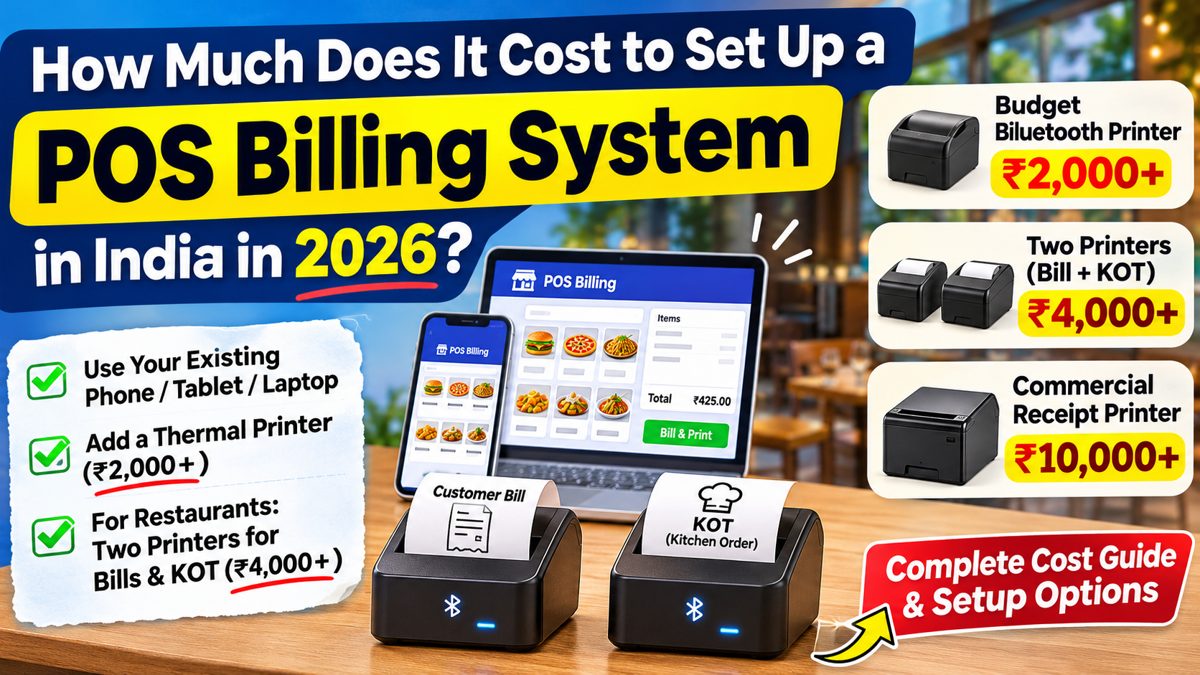
Setting up a POS billing system does not require an expensive computer or complicated hardware.
If you already own a smartphone, tablet, or laptop, you can use it with compatible POS software and a Bluetooth thermal printer.
For restaurants, you can use two printers: one for customer bills and another for kitchen order tickets (KOT).
Businesses that need dedicated billing counters or network printing can also choose more advanced hardware.
TL;DR: POS Setup Costs in India
- Budget Bluetooth printer: ₹2,000+
- Two printers for billing and KOT: ₹4,000+
- Commercial receipt printer: ₹10,000+
- Existing phone, tablet, or laptop: No additional device purchase required
- Dedicated POS computer: Optional
- WiFi or LAN printers: Optional for network printing
- Software and thermal paper: Additional costs
These are indicative starting prices, not fixed quotations.
1. What Do You Need for POS Billing?
A basic POS setup needs three things:
- A phone, tablet, laptop, or computer.
- POS billing software.
- A compatible thermal receipt printer.
Restaurants that print kitchen orders separately also need a KOT printer.
You can use devices you already own instead of purchasing new hardware.
2. Budget POS Setup: Use Your Existing Device
If you already have a smartphone, tablet, or laptop, you can use it with our POS software.
Connect a compatible Bluetooth thermal printer to print customer bills.
Equipment Required
- Existing phone, tablet, or laptop
- Our POS billing software
- Bluetooth thermal printer costing ₹2,000+
- Thermal paper rolls
This setup avoids the cost of purchasing a dedicated POS computer.
3. Restaurant POS Setup With Two Bluetooth Printers
Restaurants commonly print two types of receipts.
Customer bill: Printed at the billing counter.
Kitchen Order Ticket (KOT): Printed in the kitchen to show the items ordered.
You can use one compatible Bluetooth printer for customer bills and another for KOT.
| Equipment | Starting cost |
|---|---|
| Existing phone, tablet, or laptop | No additional purchase |
| Bluetooth billing printer | ₹2,000+ |
| Bluetooth KOT printer | ₹2,000+ |
| Two printer setup | ₹4,000+ |
Software fees and thermal paper are additional.
Bluetooth printing works when the device and printers are within reliable connection range. Check the distance between your billing counter and kitchen before purchasing.
The POS software must also support assigning separate printers for bills and KOT.
4. What If You Want a Dedicated POS Computer?
Some businesses prefer a computer that stays at the billing counter.
You can use a desktop computer, laptop, touchscreen terminal, or all in one POS computer.
You will also need compatible POS software and receipt printers.
Computer prices depend on the model and specifications, so check current prices before purchasing.
A dedicated POS computer is optional when you already own a supported device.
5. Bluetooth vs WiFi Thermal Printers
| Feature | Bluetooth | WiFi or LAN |
|---|---|---|
| Connection | Direct Bluetooth connection | Local network |
| Router needed | No | Usually yes |
| Internet needed for local printing | No | No |
| Printer location | Within reliable Bluetooth range | Within the configured network |
| Multiple device printing | Depends on compatibility | Supported with suitable network software |
| Setup | Bluetooth pairing | Network configuration |
When to Choose Bluetooth
Choose Bluetooth when the printer is close enough to your billing device and is supported by your POS software.
When to Choose WiFi or LAN
Choose WiFi or LAN when you want multiple devices to share printers or need printers connected across different areas of your business.
Neither connection type is required for every restaurant.
6. How Much Do Commercial POS Printers Cost?
Thermal receipt printers are available at different price levels.
| Printer category | Indicative price |
|---|---|
| Entry level Bluetooth receipt printer | ₹2,000+ |
| Bluetooth printer with additional features | ₹4,000+ |
| WiFi or LAN capable receipt printer | ₹4,000+ |
| Higher priced commercial receipt printer | ₹10,000+ |
Prices depend on paper width, printing speed, connectivity, cutter specifications, and other features.
A higher price does not automatically mean a printer is better for your business.
Choose a printer that supports your POS software and meets your printing requirements.
7. Budget POS vs Advanced POS Setup
| Budget setup | Advanced setup | |
|---|---|---|
| Billing device | Existing phone, tablet, or laptop | Dedicated computer or POS terminal |
| Customer bill printer | Bluetooth | Bluetooth, WiFi, or LAN |
| Kitchen printer | Bluetooth | Bluetooth, WiFi, or LAN |
| Printer starting price | ₹2,000+ each | Depends on selected hardware |
| Network configuration | Not required for Bluetooth printing | Required for network printing |
| POS software | Our POS software | Our POS software |
Both setups can handle billing when the selected devices and printers are supported.
The difference is the hardware and connection method.
8. Can You Upgrade Your POS Setup Later?
Yes. You can begin with an existing device and a Bluetooth printer.
When you need separate kitchen printing, add a compatible KOT printer.
If your restaurant later needs multiple billing counters or network printers, you can purchase the required hardware.
Confirm compatibility before upgrading.
9. How to Choose Your POS Setup
Before purchasing hardware, check:
- Whether your existing phone, tablet, or laptop supports the POS software.
- Whether you need one printer or separate billing and KOT printers.
- The distance between the billing counter and kitchen.
- Whether multiple devices need to share printers.
- Which printer models your POS software supports.
- Your budget for hardware, software, and thermal paper.
Purchase the equipment required for your actual billing process.
10. Start Billing With Our POS Software
Our POS software lets you use supported devices you already own instead of purchasing a dedicated POS computer.
Connect compatible receipt printers to print customer bills and kitchen orders.
You can begin with a budget Bluetooth setup and choose additional hardware when your business requires it.
Frequently Asked Questions
Can I use my phone for POS billing?
Yes. A supported phone can run POS software and print receipts using a compatible printer.
How much does a Bluetooth thermal printer cost?
Budget Bluetooth thermal printers are available from around ₹2,000+.
How much does a two printer restaurant setup cost?
Two budget Bluetooth printers start at approximately ₹4,000+ combined, excluding software and thermal paper.
Can Bluetooth printers print KOT?
Yes, if your POS software supports the printer and KOT configuration.
Do I need a WiFi printer?
No. Bluetooth printers can handle billing and KOT printing when the connection is reliable and the software supports them.
Do I need an expensive POS computer?
No. You can use an existing compatible phone, tablet, or laptop.
Why do some commercial printers cost ₹10,000+?
Commercial printers may offer different printing speeds, durability ratings, connectivity options, warranties, and service support. Choose based on the features you need.
Conclusion
You can set up POS billing using a device you already own and a Bluetooth thermal printer starting around ₹2,000+.
For restaurants, two compatible printers for customer bills and KOT start around ₹4,000+ combined.
If your business needs dedicated billing hardware or network printing, you can choose a more advanced setup.
Use the devices you already have, choose compatible printers, and purchase additional hardware only when you need it.